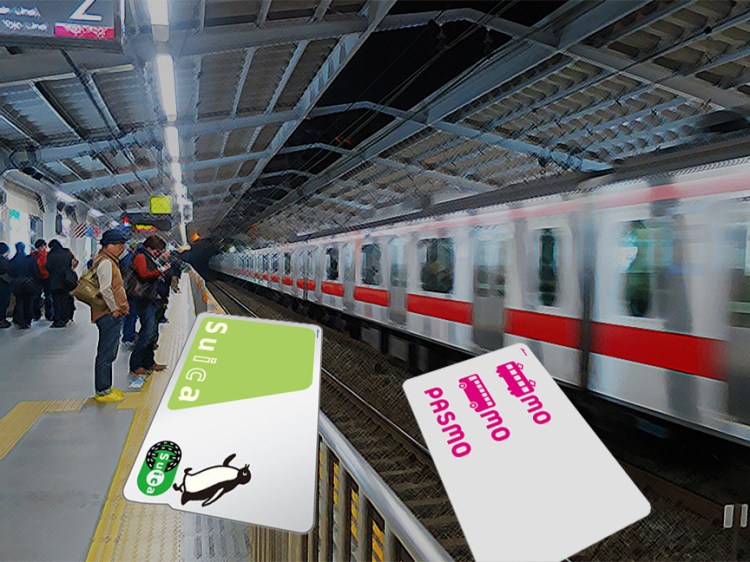
If you’re flying into Osaka/Kyoto or points west, you can buy an ICOCA reloadable transit card at any train station; if you fly into Tokyo, you can buy a Suica or Pasmo reloadable card at any train station. All these cards can be used all over Japan for the local trains and buses (but not the shinkansen bullet train or express trains—those require separate tickets.) They can also be used at many vending machines, convenience stores, and other points of purchase, with a one-tap deduction from the balance on the card.
How and where to buy a transit card
Go to any subway/train station and buy transit cards from the ticket vending machines on the wall near the entrance gates.
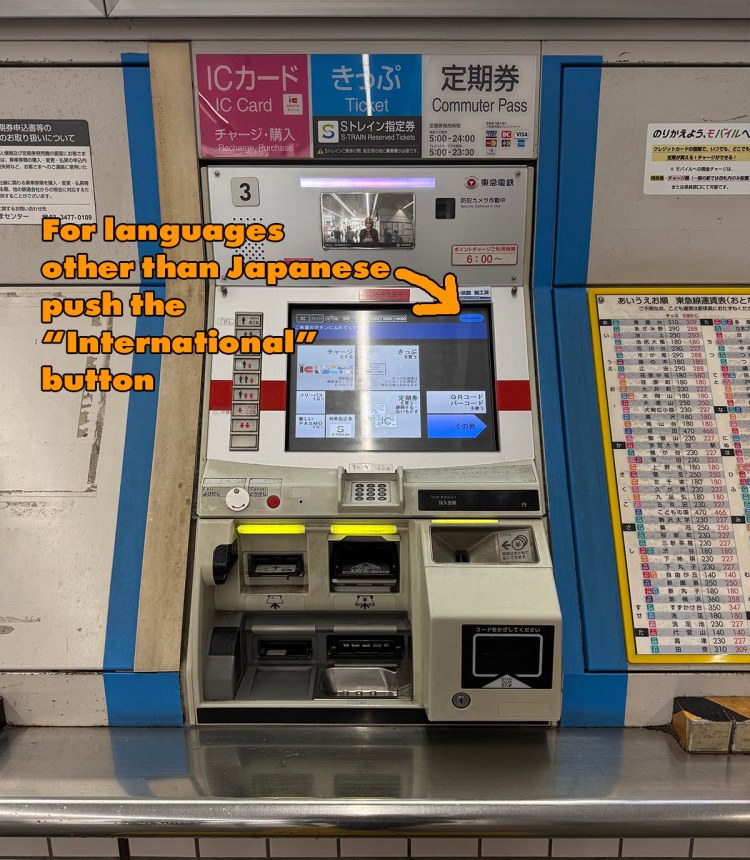
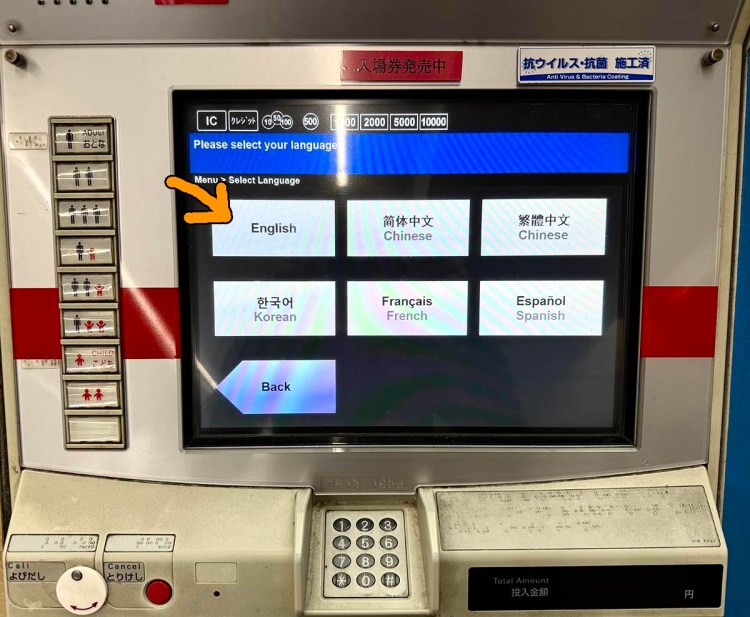
Choose “English” on the first screen, and it will walk you through buying the cards.
It will give you a choice to buy a new card or put money on an existing card.
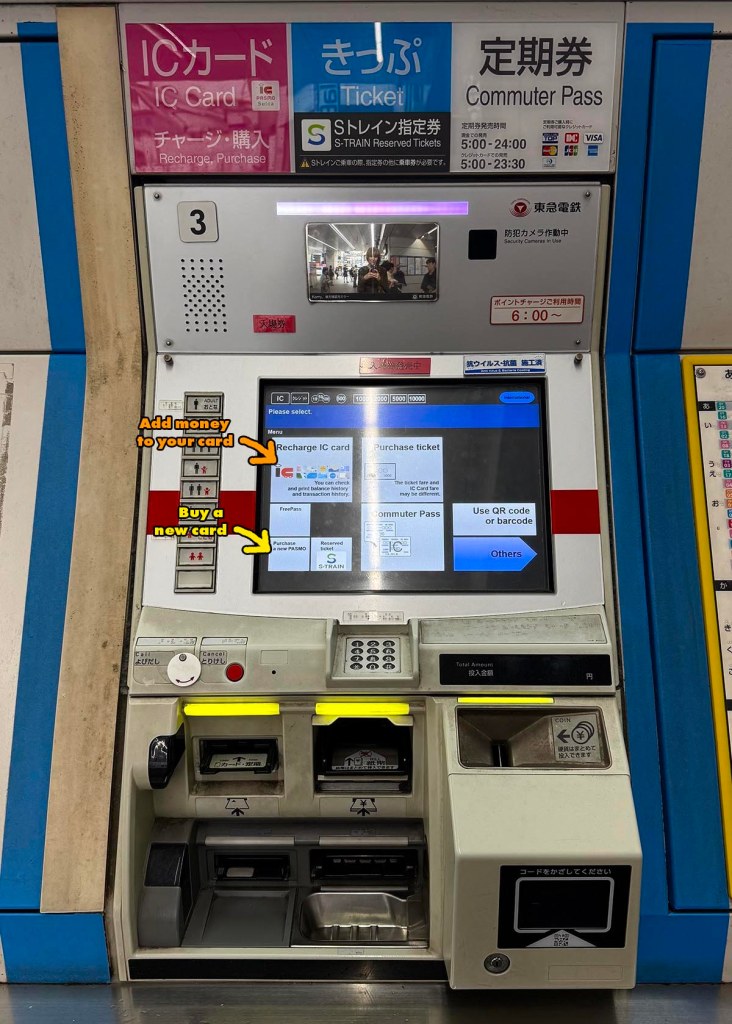
Choose “Purchase a new PASMO” (or Suica or ICOCA, depending on what kind of train station you’re in). These transit cards are yours to keep and reload, so there’s a one-time charge of ¥500 that you don’t get back, plus however much you load onto them for riding the trains and buses.
These cards can only be bought and loaded with cash, not credit cards, in these increments: ¥1000, ¥2000, ¥3000, ¥5000 or ¥10,000. (I suggest choosing ¥3000, which will give you ¥2500 in travel money, after the one-time ¥500 cost of the card is deducted. As a frame of reference, I use about ¥1000 per day or more when I’m in Tokyo.)
How to put more money on your transit card
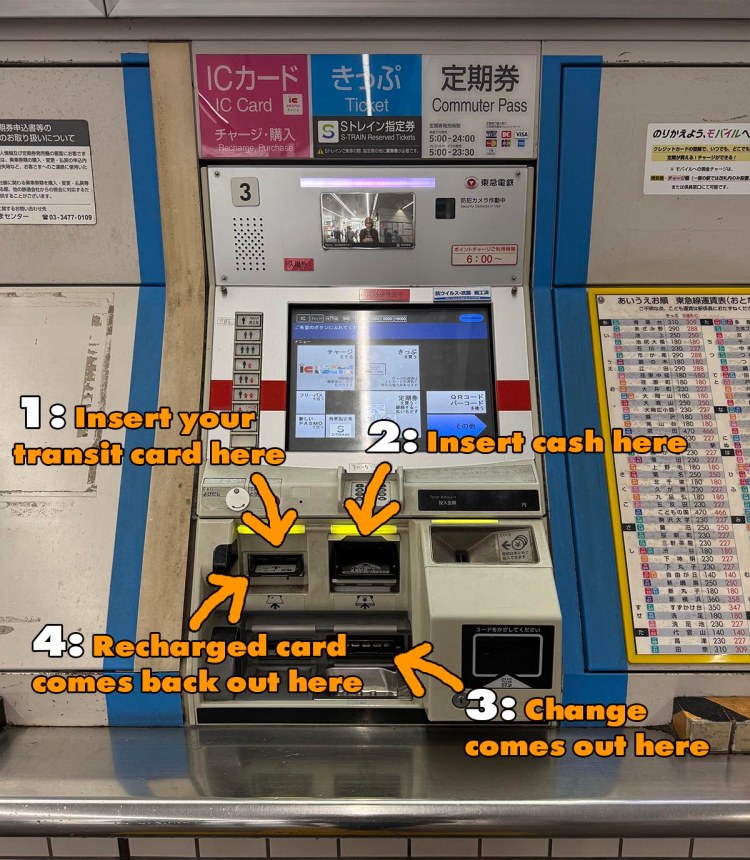
Whatever size bill you feed into the machine, it will give you change if you choose not to load it all onto the card. Every time you ride a train or bus, the cost of that trip will be deducted from the balance on the card.
You can also buy a temporary visitor transit card like this:
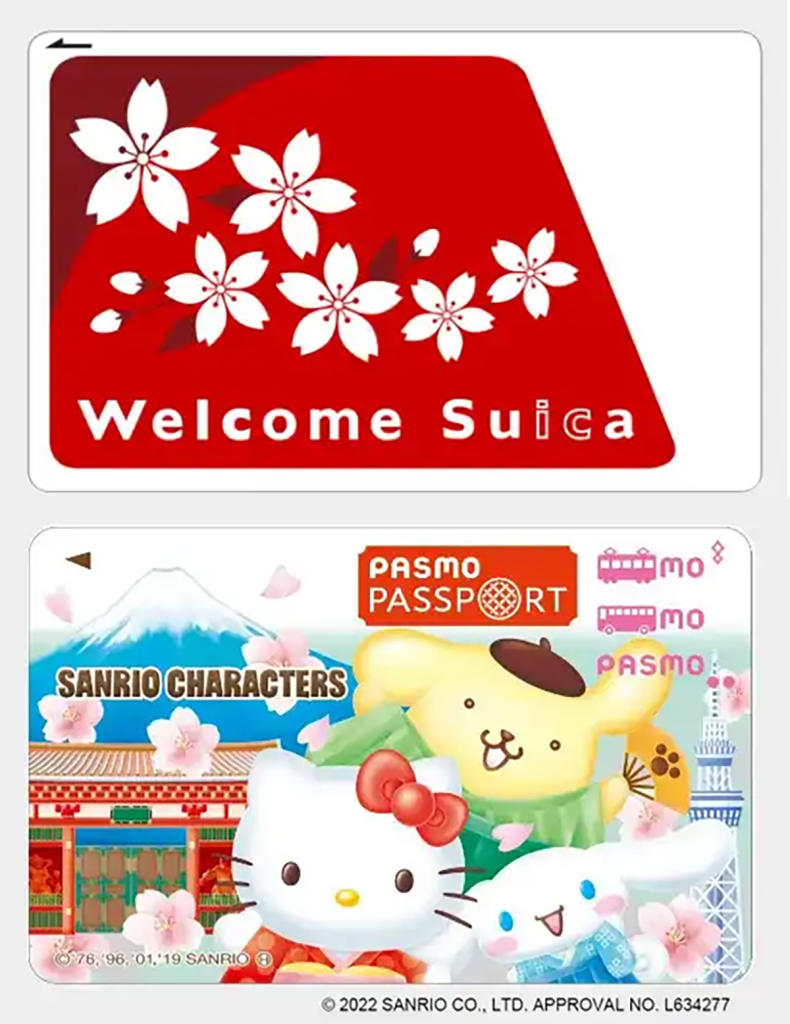
These cards are for visitors only. Here’s what’s different about them:
• They expire 28 days from date of purchase and can’t be reloaded after that
• You can only buy one per person
• You can reload them at any ticket machine, but they can only be bought at the airport
• They’re free (as opposed to the ¥500 price of a regular transit card)
You can buy Welcome cards at:
• The JR East Travel Centers in Narita terminals 1, 2 and 3
• The JR East Travel Center near the monorail ticket gate in Haneda Terminal 3
• The dedicated Welcome card vending machine near the monorail ticket gate in Haneda Terminal 3.
Here’s how and where to get one at Haneda Airport
Here’s a FAQ (in English) about how and where to buy PASMO “Passport” cards
*Highly recommend buying yours at the airport when you arrive. Availability at the advertised train stations can be unreliable
Using your card:
The fastest & easiest way to figure out how to use your card is to stand aside and watch other people go through the gate for 30 seconds. But if nobody is there, here’s what you need to know:
You go through an electronic ticket gate when you enter and exit the system. You need your transit card to enter the platform and ALSO to get out the gate at your destination because you are charged by the distance traveled and train lines used.
• Tap it on the sensor on the front of the ticket gate that says “Suica” or “Pasmo” (both kinds of card work at both) and when you hear the beep, walk through. This works even if the card is inside your wallet.
• Choose the platform that will take you to your destination. (Your phone navigation app should tell you the name of the station that is the last stop in the direction you’re going). Above the stairs leading to the platform or somewhere on a pillar near the end of the platform stairs will be a map of the subway stops serviced by the trains that stop at that platform. If you don’t see your destination, cross over to the platform on the other side of the tracks.
• When you exit at your destination, tap your card on the sensor at the ticket gate and it will let you through, automatically debiting the proper amount from your card.
How to tell how much money is left on your card:
As you tap your card on any sensor as you enter or exit a station, check the lighted display on the right side of the ticket gate as you walk through. The amount left on your card will be displayed.
What if there isn’t enough money left on my card to exit?
If this happens, a loud noise will sound, the sensor will flash red, and the gate will snap closed in front of you. It’s horrible.
If it does, back up and find the bright yellow “Add Fare” machines near the exit. Feed your card into the slot and select “English,” then follow the directions on the screen.
How to figure out where you’re going
You could do it the old-fashioned way by carrying a paper map or consulting the map on the wall at the station, but by far the fastest and easiest way is to use a phone app.

*The JR Line also runs long distance trains like the “bullet train,” but you’ can’t ride them trains with transit card. Here’s how to get a ticket for those trains.
Get more Japanese goodness straight from the source!
Subscribe to my monthly Japanagram e-magazine・° ♪・☆ It’s free!


Japanese Home Cooking recipes • Beyond Tokyo travel destinations • Seasonal Secret shopping & events • The Thing I Learned Today • Why, Japan, Why? • Monthly book or J-swag giveaway
•

Jonelle Patrick writes novels set in Japan, produces the monthly e-magazine Japanagram, and blogs at Only In Japan and The Tokyo Guide I Wish I’d Had

