
This is an easy way to buy a transit card. You can do it from home before you leave and use your regular credit card to charge it
These instructions are for iPhone, but if you don’t have an iPhone, put your transit card in Google Wallet, not Google Pay.
Here’s how to add a Suica/PASMO card to your phone
Go into your Apple Wallet/Google Wallet and click on the “add card”

Click on the “transit card” category

Go into your Apple Wallet/Google Wallet and search for “Suica” or “Pasmo”

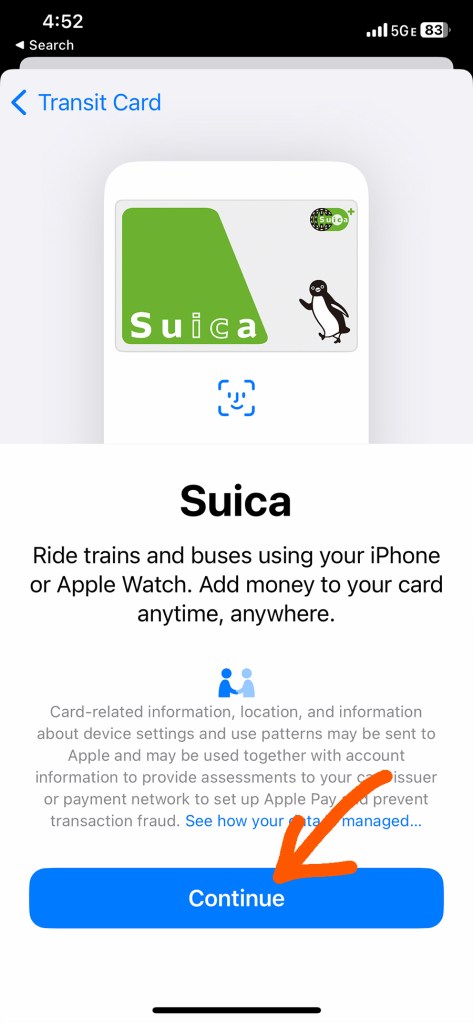
When you see this screen, click “continue”
Agree to the conditions

Choose how much money to put on your card and click on that amount.
You can’t get a refund for unused value, but if you’re going to be in Tokyo for more than one day, ¥1000 is not enough to get you very far, especially if you’re using it to get from the airport to your hotel.
My rule of thumb is ¥1200 per day of sightseeing, but your mileage may vary.

Your default payment method will come up. If you want to change that, return to the wallet screen and add a card or change your default.

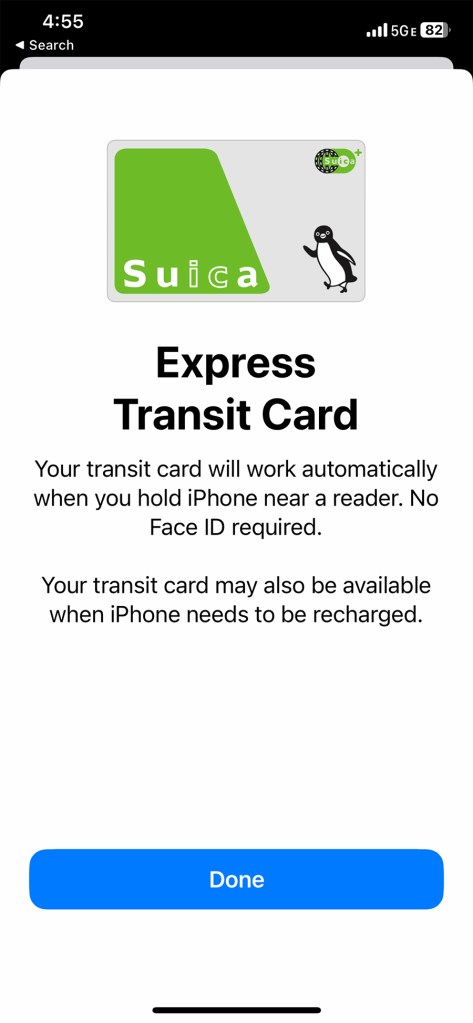
This is what success looks like!

When you’re ready to add more money to your card, just click on the card in your wallet and add money from your default credit/debit card
How to use your transit card:
To use your card, hover your phone close to the sensor to the right of the ticket gate when entering or exiting a train platform. It will make a little ding when it connects. (Don’t touch it to the pad, just bring it face to face). The app does not have to be open and it still works if your phone is dead or turned off.
You are charged according to how far you travel, so you have to hover your phone at the ticket gate when you enter and exit the system.
• Hold it over the sensor on the front of the ticket gate to the right that says “Suica” or “Pasmo” (both kinds work everywhere) and when you hear the beep, walk through. This works even if your phone is off.
• Choose the platform that will take you to your destination. (Your phone navigation app should tell you the name of the station that is the last stop in the direction you’re going). Above the stairs leading to the platform or somewhere near the end of the platform stairs will be a map of the subway stops serviced by the trains that stop at that platform. If you don’t see your destination on the map, cross over to the platform on the other side of the tracks.
• When you exit at your destination, hold your phone over on the sensor at the ticket gate until it beeps and it will let you through, automatically debiting the proper amount.
How to tell how much money is left on your card:
After you hover your phone on any sensor as you enter or exit a station, check the lighted display on the right side of the ticket gate as you walk through. The amount left on your card will be displayed.
What if there isn’t enough money left on my card to exit?
If this happens, a loud noise will sound, the sensor will flash red, and the gate will snap closed in front of you.
If it does do not try to barge through, because the next time you try to use your card, it will happen again and you won’t be able to enter the ticket gate. Instead, back up and step aside to add more money to the card on your phone. If you can’t do that because you are depending on wifi instead of cellular data, go to the booth at the end of the ticket gate and the station staff will ask you where you got on and let you pay in cash. The next time you want to use the card on your phone, though, you’ll have to go to the booth before entering the ticket gate and have them fix it so it doesn’t set off the alarm and bar your entrance.
Note: Once you put a transit card in your Apple Wallet, DO NOT turn off your passcode/face recognition or it will be deleted. It will come back if you turn your passcode/face recognition back on, along with the balance on the card, but you won’t be able to use your transit card while your passcode/face recognition is turned off.
How to figure out where you’re going
You could do it the old-fashioned way by carrying a paper map or consulting the map on the wall at the station, but by far the fastest and easiest way is to use a phone app.

*The JR Line also runs long distance trains like the “bullet train,” but you’ can’t ride those trains with transit card. Here’s how to get a ticket for those trains.
•
If you enjoyed this, subscribe!
Get all the latest Japan travel tips and tricks for free ヽ(*^ω^*)ノ
Would you like to be whisked away to Japan, wherever you are?


“The Samurai’s Octopus is a truly remarkable book, one that surprised and charmed me at every turn of the page…an enchanting, fascinating journey. You’re in for a treat.”
—James Ziskin, Anthony, Barry, and Macavity Award-winning author of the Ellie Stone mysteries
•

Jonelle Patrick writes novels set in Japan, produces the monthly e-magazine Japanagram, and blogs at Only In Japan and The Tokyo Guide I Wish I’d Had

